Slides
Slides reorganize source material into a deck suited for presentations and sharing. They are useful when you want to present the main message in a clear sequence. To review and edit pages before finalizing the deck, use Editing Slide Drafts.
Useful for
- Turning research results into presentation material
- Summarizing long documents into a shareable deck
- Reshaping training material or internal reports into a visual flow
- Downloading generated slides as PPTX for follow-up editing in a presentation tool
Generation options

- Theme: Choose a built-in theme, a hand-rendered theme, or a saved custom theme for the output.
- Language: Choose the output language from the available language options.
- Detail level: Generate detailed slides or focus on key messages.
- Slide count: Specify the number of slides when you need a specific deck length.
Themes and custom themes
Slide themes control the deck’s overall visual style. In addition to the standard themes, you can select hand-rendered styles such as Whiteboard and Etching. When you create a custom theme, you can reuse settings for the base theme, accent colors, header, footer, logo, and body visual style.


To create a custom theme, open Create custom theme from the theme selector, choose a base theme, then adjust the colors and repeated slide elements for your brand. Saved themes appear in the theme list for future slide generation.

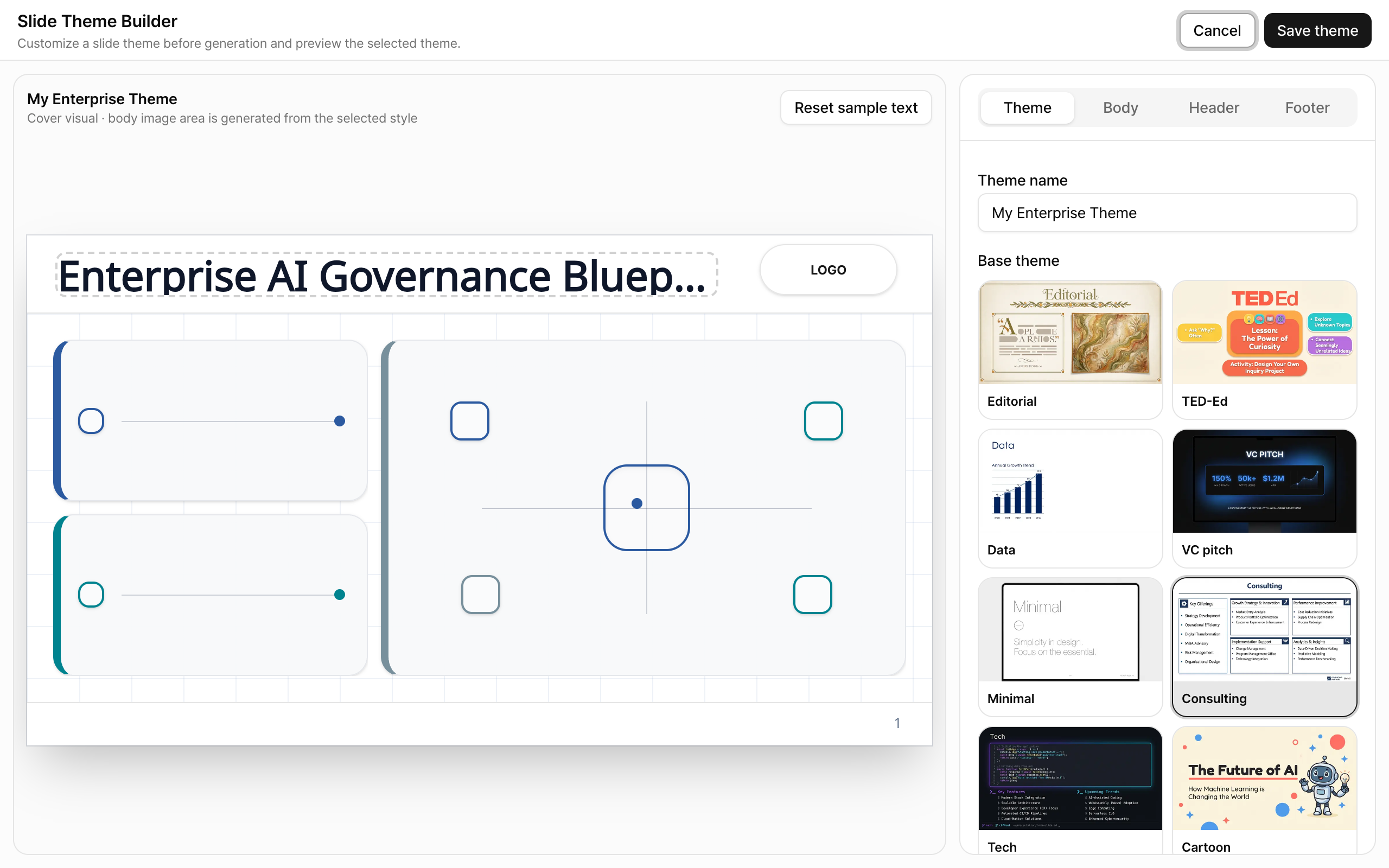
Common custom theme settings include:
- Base theme: Start from a visible style such as Editorial, TED-Ed, Data, or Cartoon.
- Accent colors: Use the color picker to tune header, footer, and accent colors.
- Logo and text: Configure the logo, header, and footer that repeat across the deck.
- Body visual style: Choose the presentation style that fits the content, such as system diagrams, dashboards, workflows, data visualizations, or concept illustrations.
After generation
Loading deck...
After generation, you can review the slide content in the viewer. Download the result as PPTX when you need to continue editing in a presentation tool.
Creating a slide-based video

When slide-based video generation is supported, open a generated slide output and use the export menu to request a video. After video generation completes, review the generated MP4. This is useful when the same slide flow should be shared as a playable asset instead of an editable deck.
Review checklist
Slides compress source material to create a presentation flow. Compare important numbers and terms with the original source. If the tone or order does not fit the audience, adjust the source scope or generation options and generate again, or download the PPTX for editing in a presentation tool.