Choose an address book and understand visibility
Every contact belongs to one address book. The address book you use determines who can see that contact.
Switch address books
- Select the current address book name at the top of the screen.
- Enter a name in Search address books, or browse the list.
- Select the address book you want to use.
LinkPie then shows that address book’s contact count and list. Search works only within the currently selected address book.
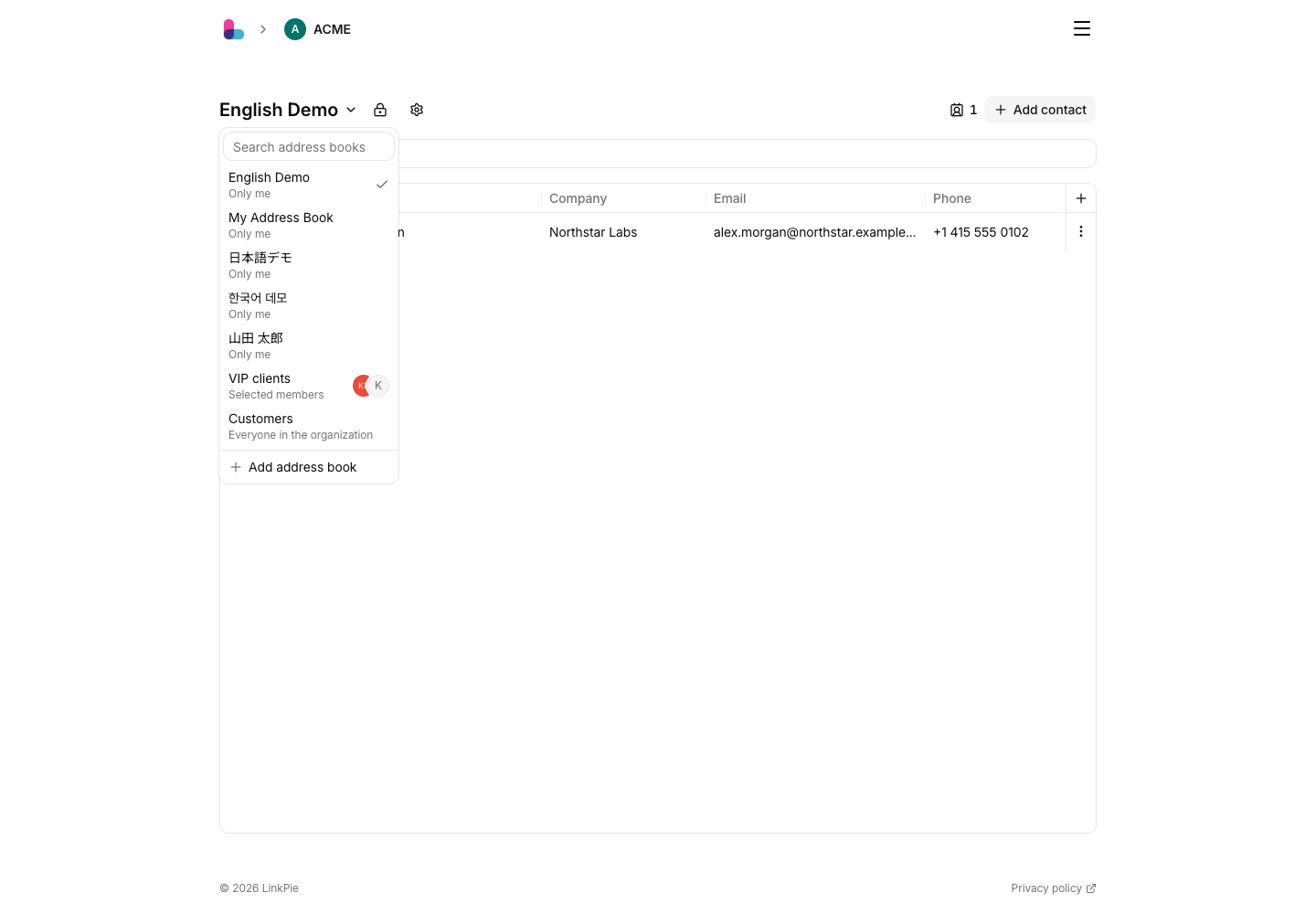
Address book types
LinkPie opens your last-used address book when you return. Switching address books clears the contact search.
My Address Book
This is your default private address book. Only you can access it. You cannot rename it, change its visibility, or delete it.
An address book that you create with Only me is also private, but it is separate from My Address Book. You can rename or delete the address books you create.
Shared address books
You can create an address book and share it with coworkers. Access depends on its visibility setting.
| Who can access | People with access | Use it for |
|---|---|---|
| Only me | The owner only | Personal relationships or sensitive information |
| Selected members | The owner and at least one selected member | A project, team, or restricted customer list |
| Everyone in the organization | Every current member of the same organization | Shared vendors and representative contacts |

Everyone in the organization does not share the address book publicly or with other organizations. Selected members requires at least one member; the owner always has access.
Owners and members
- Owner: The person who created the address book. The owner manages its name, visibility, and members.
- Member: A person who has been given access to a Selected members address book.
In the address book selector, hover over the member icon to check the owner and shared members.
Address books you cannot access
Address books outside your visibility scope, and all contacts in them, do not appear in the selector. If an address book is missing, ask its owner to check the visibility and member settings.