Home
Use Home to start meetings and review meetings that are scheduled or in progress.
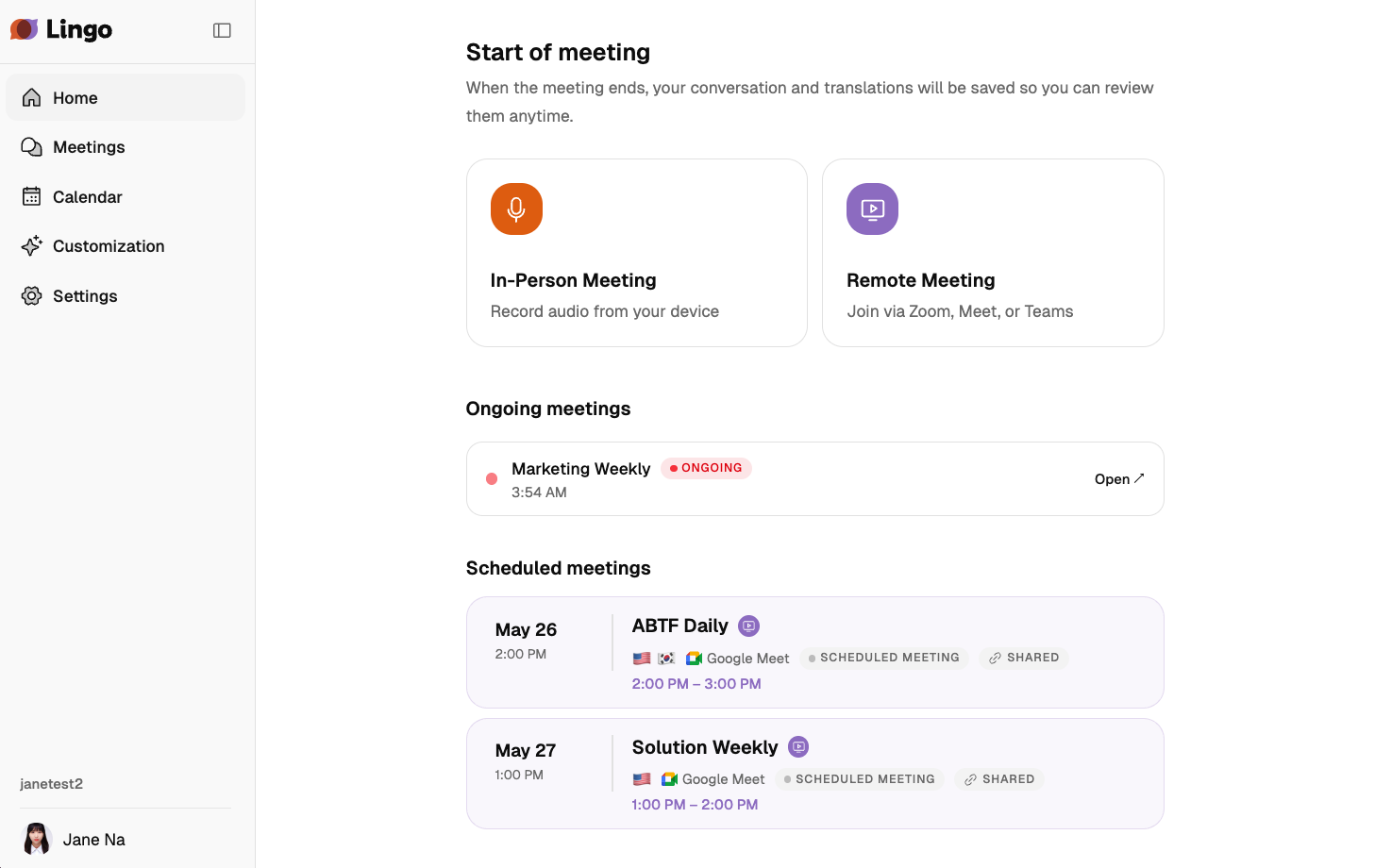
Start a meeting
Choose a meeting type from the cards at the top of the page.
In-Person Meeting
Record a meeting using audio from the current device.
| Item | Description |
|---|---|
| Audio Source | Choose Microphone, Screen Audio, or Mic + Screen. If the browser does not support screen audio sharing, screen-related options are not shown. |
| Microphone | When using a microphone, select one of the connected microphones. |
| Meeting Name | Enter a meeting title. If left blank, the name is created from the current date and time. |
| Source Language | Select up to three languages actually spoken in the meeting. |
| Enable Real-time Translation | Shows recognized speech in other selected languages. When enabled, you can view the original text and translated text together on the meeting screen. |
| Allow participants to select translation languages | Appears when real-time translation is enabled. Lets shared viewers select a supported language outside the meeting languages. |
| Custom keywords | Choose My keywords or Organization keywords as the glossary for this meeting. |
Select Create to open the meeting screen. An in-person meeting starts only after you select Start Recording on that screen.
Remote Meeting
Lingo joins a remote meeting URL and records the meeting.
| Item | Description |
|---|---|
| Meeting URL | Enter a Zoom, Google Meet, or MS Teams URL. |
| Meeting Name | Enter a meeting title. If left blank, the name is created from the current date and time. |
| Source Language | Select up to three languages actually spoken in the meeting. |
| Enable Real-time Translation | Shows recognized speech in other selected languages. When enabled, you can view the original text and translated text together on the meeting screen. |
| Allow participants to select translation languages | Appears when real-time translation is enabled. Lets shared viewers select a supported language outside the meeting languages. |
| Custom keywords | Choose My keywords or Organization keywords as the glossary for this meeting. |
| Lingo Join Timing | Choose Join Now or Later. If you choose Join Now, Lingo joins the meeting immediately after you click Create. If you choose Later, the meeting is saved as scheduled and can be started later with Lingo Join Now. |
If Lingo is waiting before entering a remote meeting and the host has not admitted it yet, the status is shown as Awaiting host approval.
Audio File Upload
You can upload a recorded audio file to create a transcript.
- Select the Upload Audio card on Home.
- Drag and drop a file, or select the upload area to choose one.
- Check the Meeting Name. The file name is entered automatically at first, but you can change it if needed.
- Select up to three Languages used in the file.
- Select Start Upload.
After the upload starts, you are taken to the meeting detail screen. Transcription starts automatically when the file transfer finishes, and the completed transcript appears on the same screen.
| Item | Description |
|---|---|
| Supported formats | MP3, M4A, WAV, OGG, FLAC, AAC |
| Maximum file size | 500MB |
| Languages | Select up to three languages actually used in the audio. |
Upload progress is displayed while the file is being transferred. The upload continues if you navigate to another Lingo screen, but it stops if you close or refresh the browser tab where it was started.
If the upload or transcription fails, select Upload file again or Retry on the meeting detail screen. If the same file continues to fail, check whether the file is damaged or uses an unsupported codec.
Real-time Interpreter
Real-time Interpreter is an interpretation mode where you hold the microphone button while speaking, then release it to hear translated speech right away.
Select the Real-time Interpreter card on Home to open the full-screen interpreter. Configure the languages, output voice, and devices, then hold the microphone button while speaking. See Real-time Interpreter for the full workflow.
My meetings
My meetings shows meetings you created that have not started yet or are currently in progress. Each row shows the date and time, meeting title and type, and owner. Select a meeting to open it. Review completed records from Meetings.
Calendar meetings
Calendar meetings shows connected calendar events that Lingo is set to join. Review the date and time, meeting title, and remote meeting platform, then select a meeting to open it in Lingo. If no meeting is shown or you need to connect a calendar, select Go to calendar to manage events and auto-join settings.